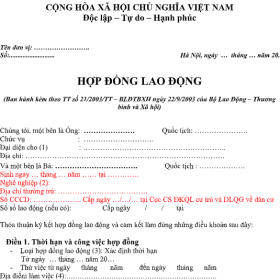








During the translation process, clients do not always provide editable Word documents or PDFs with selectable text. Many documents are available only as scans, photos taken with mobile phones, or image-based PDF files. These formats often create challenges when extracting text, recognizing content, and preserving the original layout.
So, what steps are required before translating scanned documents and image-based PDFs? Can image files be converted into Word documents for translation? How can errors involving stamps, signatures, tables, and important information be minimized? Dịch Thuật Châu Á explains the document preparation process below.
What Are Scanned Documents and Image-Based PDFs?
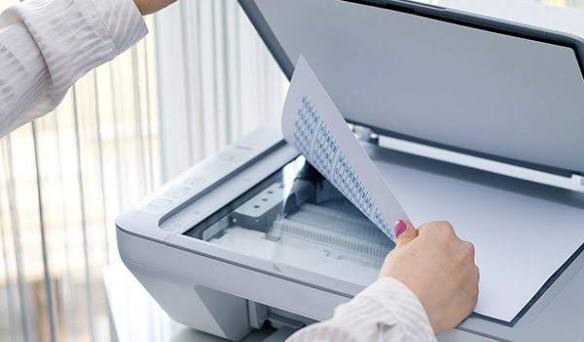
A scanned document is a paper document converted into a digital file using a scanner or camera. The resulting file may be saved in JPG, PNG, or PDF format.
However, not every PDF allows users to copy or edit its text. There are two common types:
-
Text-based PDF: The content is stored as digital text. Users can usually search, select, and copy the text directly.
-
Image-based PDF: Each page is primarily stored as an image. Users can view the content but usually cannot select or copy text directly.
Some PDFs combine both formats. For example, the main text may be selectable, while attachments appear as scanned images. Identifying the correct file type helps determine the appropriate processing method.
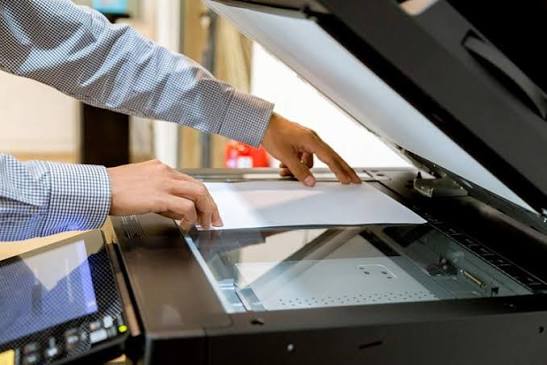
Why Should Scanned Documents Be Processed Before Translation?
Image quality directly affects translation accuracy. Blurry, tilted, cropped, or shadowed scans can make character recognition difficult. Small errors, such as confusing the number 0 with the letter O, can change important information.
Complex layouts also increase processing time. Administrative documents, financial reports, transcripts, and contracts often contain tables, multiple columns, checkboxes, or special formatting. Automated extraction may rearrange the content or separate text from its original position.
Scanned documents may also contain handwritten notes, stamps, signatures, marginal comments, or very small text. These elements require separate checks to prevent important information from being omitted.

Steps for Processing Scanned Documents Before Translation
To maintain translation quality, documents should be checked and processed according to their specific characteristics.
Check the Scan Quality
First, check image clarity, page orientation, contrast, and document completeness. If pages are cropped, text is missing, or images are too blurry, rescan them whenever possible.
For multi-page documents, verify the page order and identify attachments, reverse sides, and supplementary pages. This step helps prevent omissions from the beginning.
Use OCR Technology to Recognize Text
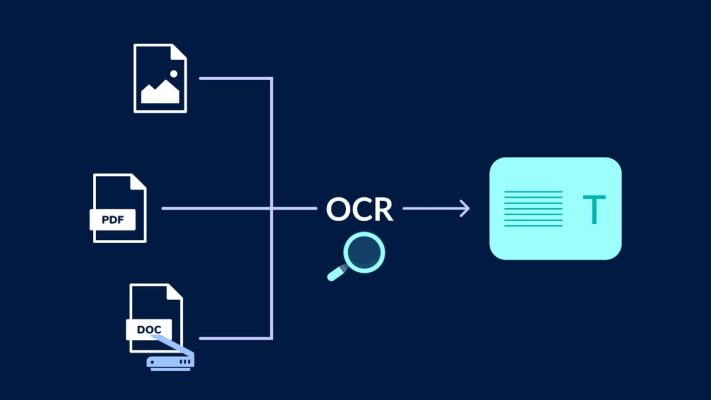
OCR stands for Optical Character Recognition. This technology converts text in images into searchable and editable text.
After OCR processing, the extracted content can be transferred into Word or another suitable format for translation. However, OCR does not guarantee perfect accuracy. Recognition errors may occur when documents are blurry, text is small, fonts are unusual, or multiple languages appear together.
Therefore, extracted text must be compared with the original document. Numbers, names, and technical terms require particular attention. Never import unverified OCR output directly into translation software.
Organize Text and Tables
After extracting the text, reorganize paragraphs, headings, tables, and reading order. For documents with multiple columns, software may misinterpret the reading sequence or combine text from different cells.
Check all information fields, punctuation, page numbers, and special symbols. For particularly complex tables, carefully controlled manual transcription may be more efficient than correcting every automated recognition error.
Translate and Compare Against the Original
Once the text is organized, the translator can begin translating it into the target language. Professional translation software can help manage terminology and maintain consistency across multiple pages.
After translation, compare the translated document with the original. Check completeness, numerical data, names, dates, and legal terminology. Any content that OCR failed to recognize correctly requires additional attention.
Finalize the Layout and Export the File
The final step is to format the translation according to the original document’s structure. Depending on the client’s requirements, the translated file can be exported as Word or PDF.
Check page breaks, margins, tables, headings, and notes relating to stamps or signatures. If the document is intended for administrative procedures, confirm the required translation format and certification procedures with the receiving authority.
Can You Convert an Image-Based PDF into Word and Translate It Yourself?
Users can process documents independently with OCR tools or PDF-to-Word converters. This approach works well for simple documents with clear images and limited content.
However, converting a file does not mean it is ready for translation. Automated tools may distort tables, omit characters, or change the reading order. Without careful verification, these errors may remain in the final translation.
For contracts, legal documents, personal records, financial reports, and specialized materials, a workflow that includes manual verification is recommended. This helps reduce information errors and unnecessary revisions.
What Should You Consider When Submitting Scanned Documents for Translation?
To ensure a smoother translation process, clients should follow these recommendations:
-
Provide clear and complete scans without cropped content.
-
Prefer high-resolution original files over photos taken from a screen.
-
Include both sides of documents when the reverse side contains information.
-
Specify the target language and intended use.
-
Inform the translation provider if the original layout must be preserved or certification is required.
-
Ensure names, identification numbers, and dates are clearly legible.
If any content is unclear, the person processing the document should request a clearer scan or confirm the information. They should not guess the missing details.
Professional Scanned Document Translation at Dịch Thuật Châu Á
Scanned documents and image-based PDFs generally require more processing than editable text files. Image inspection, character recognition, content verification, and layout reconstruction can all affect the final translation quality.
Dịch Thuật Châu Á provides multilingual translation services for personal documents, administrative records, corporate documents, and specialized materials.
For scanned files or image-based PDFs, clients can submit clear originals for an initial assessment. Our team can evaluate suitable processing methods, document volume, and formatting requirements. If certified translation or other certification procedures are needed, please inform us in advance so we can determine the appropriate process.
Choosing the right document preparation and translation method can improve efficiency. It also helps ensure that the final translation is accurate, complete, and suitable for its intended purpose.
Frequently Asked Questions
Can image-based PDFs be translated directly?
Yes. However, the content usually needs to be extracted through OCR or processed manually. Complex documents require careful review before translation.
Can OCR recognize every word accurately?
No. OCR may misrecognize text, numbers, punctuation, or tables. The extracted content must be checked against the original.
Can scanned documents be used for certified translation?
This depends on the document type, the original or copy provided, and the requirements of the competent authority. Confirm the applicable conditions before proceeding.
Do I need to provide a Word file after converting the document?
No. Clients can provide clear original PDFs or images. The translation provider can assess the most appropriate processing method.
Does translating scanned documents take longer?
It may. Processing time depends on image quality, page count, layout complexity, language pair, and formatting requirements.
Bài viết liên quan